

Table of contents
The VBS Volunteer Coordination Playbook (That Actually Works)
It's 7:45am on Monday morning. Your VBS starts in 15 minutes. Three volunteers just texted to say they can't make it. Two more are standing in the hallway asking where they're supposed to be. You've got 80 kids arriving any minute, and you're frantically trying to figure out who's covering the craft station.
Sound familiar?
This isn't a playbook about hoping everything works out. It's about building a coordination system that prevents the chaos before it starts. You'll learn a three-phase framework: structured pre-event planning, week-of execution that adapts to reality, and post-event learning that makes next year easier.
VBS coordination is complex. But it's manageable when you stop treating volunteer coordination as something you'll "figure out later" and start treating it as the foundation of your entire event.
Why VBS Volunteer Coordination Breaks Down (And What That Costs You)

When volunteer coordination fails, everyone feels it. Your team leaders are stressed and scrambling. Kids notice the confusion and get restless. Volunteers who showed up excited leave feeling underutilised or overwhelmed. And here's the real cost: they don't come back next year.
The root cause isn't bad volunteers or bad intentions. It's that most churches treat volunteer coordination as an afterthought. You spend weeks planning curriculum, ordering supplies, and promoting registration. Then you send a group text two days before asking who can help.
Event planning research shows that clear objectives and strong communication plans are what separate successful events from chaotic ones. VBS is no different. Without structured coordination, you're not just risking a rough week. You're damaging your volunteer pipeline for years to come.
The Three Coordination Failures That Derail VBS Events
First failure: unclear role definitions. You ask someone to "help with crafts" without specifying what that means. Do they set up? Lead the activity? Clean up? All three? They arrive unsure, so they wait for direction. Meanwhile, you're dealing with ten other issues.
Second failure: no communication system. You've got information scattered across email threads, text messages, and verbal conversations in the church foyer. When something changes, half your volunteers don't get the message. The other half get it three different ways and aren't sure which version is current.
Third failure: no backup planning. Someone gets sick. Someone's kid has an emergency. Someone simply forgets. You have no protocol for handling gaps, so you're making desperate phone calls while kids are already arriving.
These failures compound. One unclear role creates confusion. That confusion requires extra communication. The communication breaks down because you don't have a system. Then someone doesn't show up, and the whole thing collapses.
What Happens When 40 Volunteers Show Up Without a Plan
Picture Monday morning. Forty volunteers arrive, ready to help. They're standing in the hallway asking, "Where do I go?" You're trying to remember who said they'd do what. You're assigning roles on the fly. Three people end up at the craft station. Music has no one. Registration is chaos.
You've just wasted the first hour. Not on engaging with kids. Not on creating a great experience. On ad-hoc coordination that should have been sorted weeks ago.
The downstream impact is worse. Volunteers who feel underutilised get bored. Volunteers who feel overwhelmed get burnt out. Both leave thinking, "That was disorganised. I'm not sure I'll do this again next year." You've just made next year's recruitment harder.
The Pre-Event Framework: Building Your Volunteer Structure Before Day One
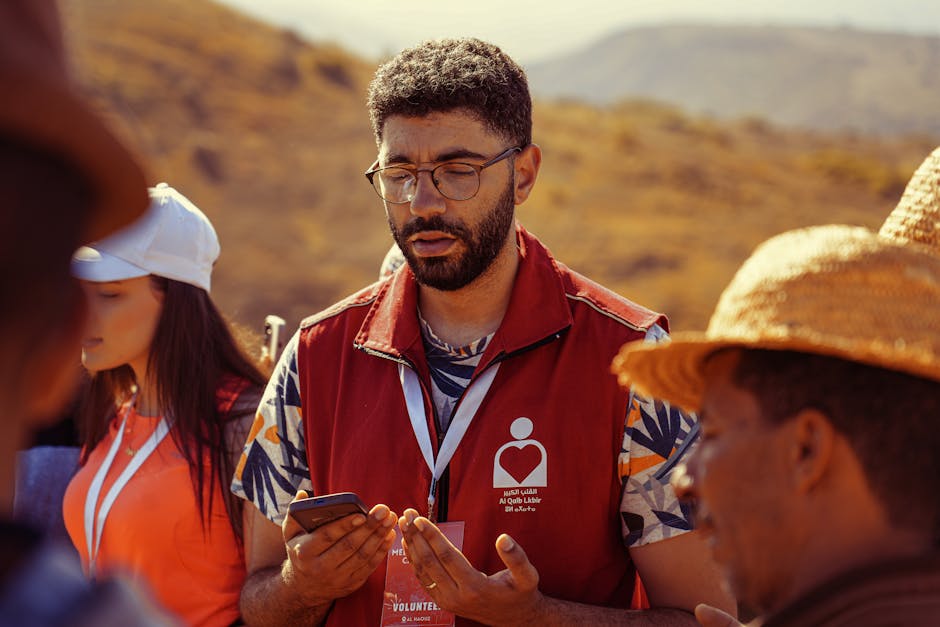
This is where you prevent the problems. Not during VBS week. Four to eight weeks before.
The principle is simple: time invested in structure now saves exponentially more time during the event. An hour spent creating clear role definitions prevents ten hours of confusion during VBS week. A morning spent mapping volunteers to stations prevents daily scrambling.
If you're working with a platform like Churchvolunteering, this phase becomes significantly easier. Their system is built specifically for church volunteer coordination, handling role assignments, communication, and scheduling in one place. But whether you're using software or spreadsheets, the framework is the same.
Setting Role-Specific Objectives (Not Just 'Help Out')
Here's what doesn't work: "We need help with VBS." That's not a role. That's a vague request that leaves volunteers guessing.
Here's what works: "Craft Station Lead: arrive by 8:45am, set up materials for 12 kids, guide three rotations through the activity, clean up by 12:15pm, report any supply issues to the coordinator."
Notice the difference? Specific arrival time. Clear responsibilities. Defined endpoint. The volunteer knows exactly what success looks like.
Create these definitions for every role. Registration desk. Music leader. Snack coordinator. Floater. Each one needs specific, measurable responsibilities. This isn't about being rigid. It's about giving people clarity so they can do their job well.
The Volunteer Assignment Matrix: Matching Skills to Stations
List all your stations vertically: Bible story, crafts, music, games, snacks, registration. List required skills horizontally: works well with kids, organised, musical ability, teaching experience, physical energy.
Now map your volunteers to the best fits. Your primary school teacher? Bible story station. Your musician? Worship time. Your detail-oriented parent who runs a small business? Registration.
You won't get perfect matches. That's fine. When you identify gaps early, you can recruit specifically or adjust your structure. Maybe you don't have enough people for five craft stations. Run three instead, with longer rotations. Better to plan for reality than scramble during the event.
When you need to train someone or pair a less experienced volunteer with a veteran, you know that in advance. You can set up the support before Monday morning.
Creating Your Communication Backbone (Slack, WhatsApp, or Old-School Phone Trees)
You need one central communication channel. Not email plus texts plus verbal updates. One place where information lives.
Your options depend on your volunteers. If they're mostly under 50 and tech-comfortable, a WhatsApp group or Slack channel works well. If you've got a mixed-age group, a phone tree might be more reliable. If you're using Churchvolunteering, their built-in messaging system keeps everything in one platform.
The decision criteria: choose what your volunteers already use. Don't pick the trendiest option if half your team won't check it. The best communication system is the one people actually use.
The Week-Of Execution System: Your Hour-by-Hour Coordination Plan

Your pre-event planning gets tested now. This isn't about rigid control. It's about having a flexible framework that adapts to daily realities.
The rhythm is simple: morning briefing, real-time adjustments, end-of-day debrief. Every day. Accounting for logistical details and schedules prevents the execution chaos that derails events.
The Daily Volunteer Briefing Template (15 Minutes That Save Hours)
Start at 8:30am. Every day. Exactly on time.
Two minutes: welcome and quick prayer. Three minutes: today's schedule overview. Five minutes: role-specific reminders (craft station, remember we're doing the activity in two groups today; music team, we're starting five minutes earlier). Five minutes: questions.
That's it. Fifteen minutes. Not a planning session. Not a lengthy discussion. A quick alignment check so everyone knows what's happening today and who to contact if issues arise.
Respect your volunteers' time by starting and ending precisely. They showed up early to help. Don't waste that goodwill on a meeting that drags.
Managing Real-Time Changes: The Backup Volunteer Protocol
Someone will call in sick. Someone will have a family emergency. Someone will simply not show up.
Your protocol: identify one floater volunteer each day. This person doesn't have a fixed station. They fill gaps. You also need a call list for emergency backup—people who said they can't commit to the full week but could come in if needed.
When do you pull someone from one station versus calling backup? If it's a specialised role (music leader, Bible story teacher), call backup. If it's a support role (craft helper, snack distribution), pull your floater.
Communicate changes immediately through your established channel. Don't let people find out by showing up to a station with no direction.
Your End-of-Day Debrief Checklist (What to Capture While It's Fresh)
Ten minutes. Core coordination team only, not all 40 volunteers.
What worked well today? What didn't? Any volunteer feedback? Supply needs for tomorrow? Any incidents to document?
You're tired. The kids just left. You want to go home. Do this anyway. The insights you capture now are invaluable for tomorrow and next year. Wait until Friday, and you'll forget half of what happened on Monday.
Turning This Year's Chaos Into Next Year's Playbook
Each year should be easier than the last. That only happens if you capture what you learned.
Within one week of VBS ending, send a volunteer survey. Keep it short: What worked? What didn't? Would you volunteer again? What would make it better? People's memories fade fast. Get their input while it's fresh.
Document three things: updated role descriptions (you learned that the craft lead actually needs 30 minutes for setup, not 15), volunteer assignment notes (Sarah was brilliant with the younger kids, put her there again), and a summary of what worked and what didn't.
This isn't just collecting information. It's turning experience into actionable improvements. Next year's pre-event planning starts with this year's lessons. That's how you build institutional knowledge instead of reinventing the wheel every June.
If you're looking for a system that makes this coordination easier year after year, Churchvolunteering specialises in exactly this challenge. Their platform is designed for church volunteer management, with tools for role assignment, communication, and scheduling that grow smarter as you use them. Get in touch to see how they can help you build a coordination system that actually works.

Written by
Tom Galland
Building tools to help churches spend less time on admin and more time on what matters.
Ready to simplify your volunteer rostering?
Set up your church in 10 minutes. Add your volunteers. Build your first roster. Free, no credit card required.


