Most roster apps are built for shift workers, call centres, or corporate teams. They come with 50 settings, a learning curve, and features you will never use. Church Volunteering is different. It is built for one thing: helping you roster volunteers at your church without the headache.
Pick a date. Pick a team. Assign people to roles. Publish. That is the whole workflow. Your volunteers get an email, they confirm or decline, and you see the status on your dashboard. No training session required.
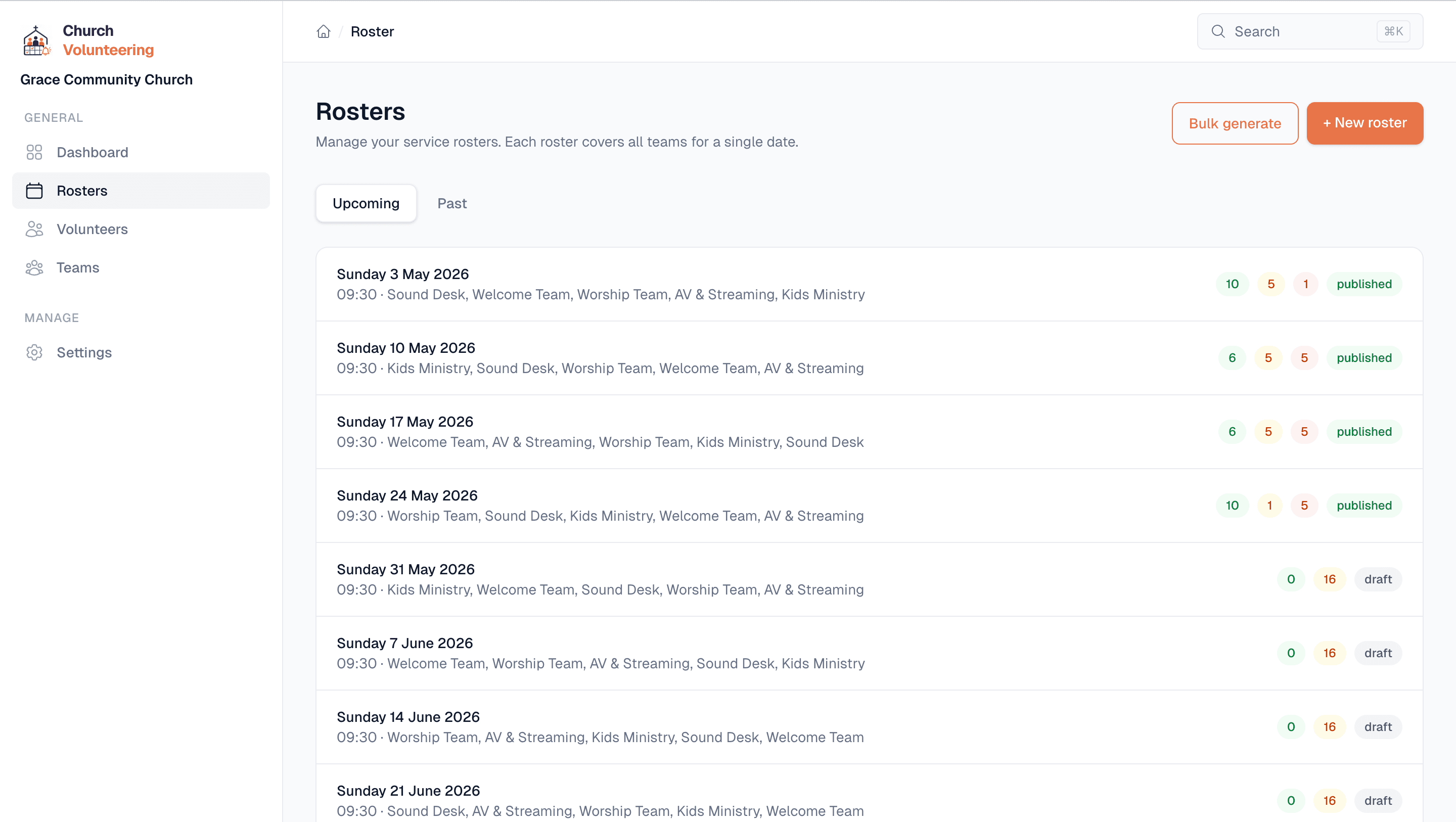
Every roster slot shows its current status. Green for confirmed, yellow for pending, red for declined. You do not have to ask anyone if they got the message. You can see it.
When you publish a roster, every volunteer gets an email with their role and service details. Reminders follow at 3 days and 1 day before. You do not send a single message manually.
If a volunteer declines, you get notified immediately. You can jump into the roster and assign someone else before it becomes a Sunday morning problem.
Every roster is saved. You can look back and see who served when, in what role, and how often. Helpful for making sure the same five people are not carrying the load every week.
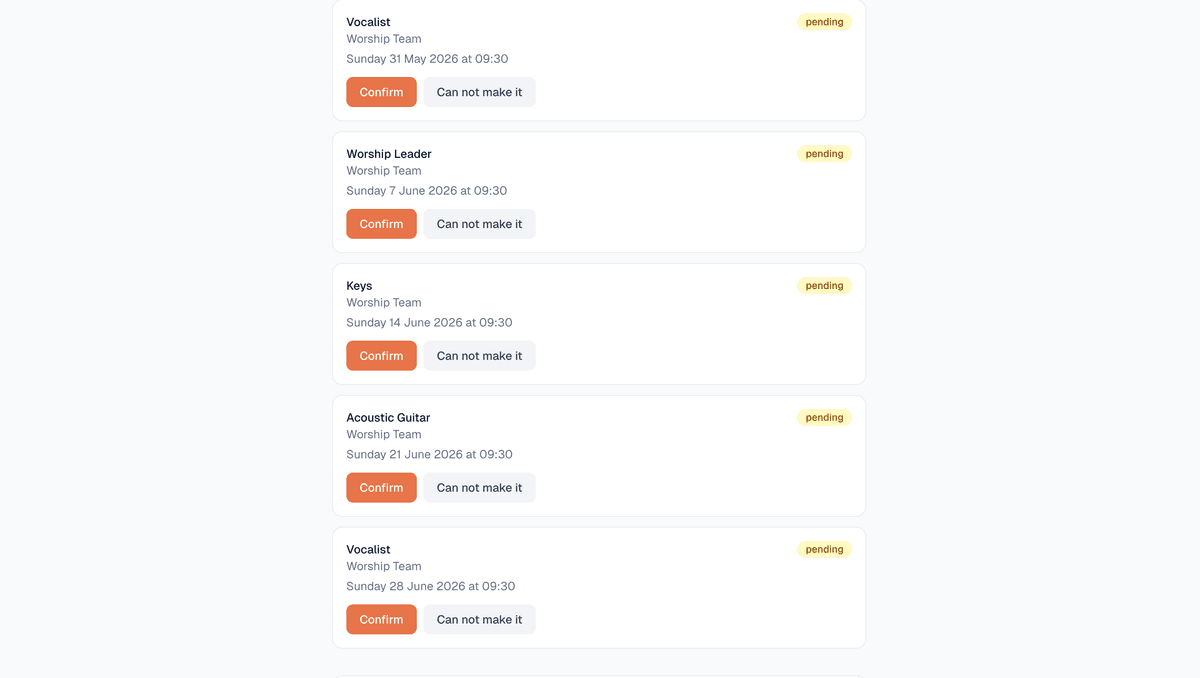
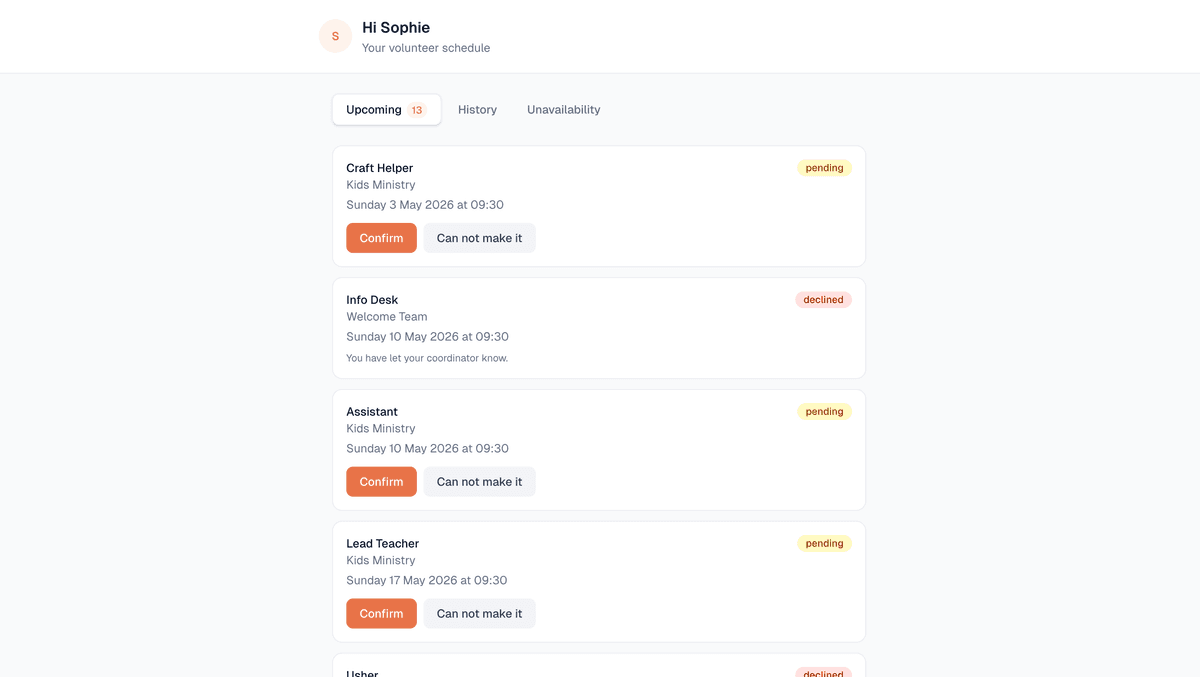
This is the part that matters most. Your volunteers do not need to download anything, create an account, or remember a password. They get an email. It has two buttons: confirm and decline. They tap one. Done.
That is it. It works for the teenager on the sound desk and the retired greeter who barely uses email. If they can click a button, they can use it.
They can also see their own upcoming roster slots on a personal page and set dates they are unavailable. All from links in their email. No login.
| Spreadsheet | Church Volunteering | ||
|---|---|---|---|
| Automatic reminders | No | No | Yes |
| One-click confirm | No | No | Yes |
| Decline notifications | Sometimes | No | Instant |
| Service history | No | Manual | Automatic |
| Unavailability tracking | No | No | Yes |
Free plan available. No credit card required.
